
Full Page Screenshot — Capture Entire Web Pages with One Click
The ultimate Chrome screenshot extension for flawless screen capture. Our tool perfectly captures the entire content of complex web pages, making it the best choice for market research, content collection, and issue reporting.
🎯 Simple to Use, Efficient Screenshots

Professional Screenshot Tool for Various Scenarios


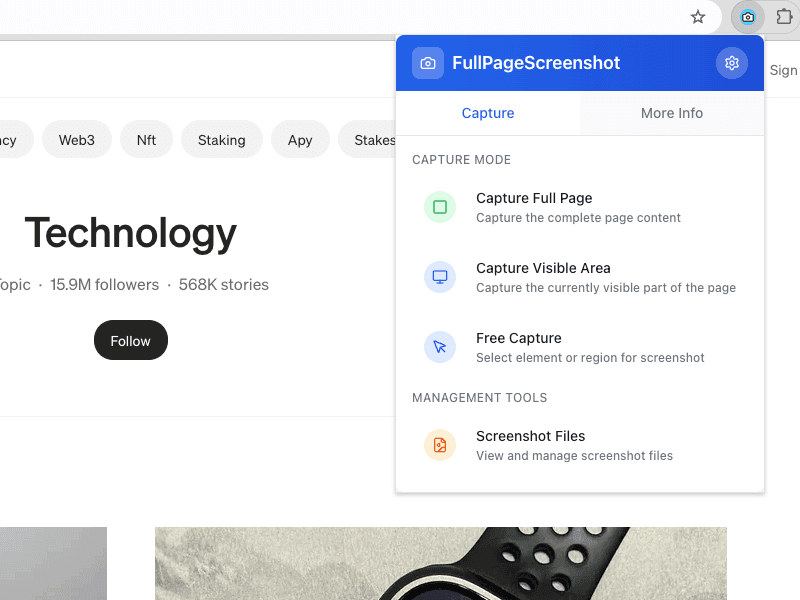
What is Full Page Screenshot
Full Page Screenshot is a leading Chrome screenshot extension, offering professional and intelligent web screen capture. It helps users capture complete web page content with one click, suitable for various scenarios.
Capture Full Size Screenshot
One-click capture of entire scrollable web content, including dynamically loaded and infinite scrolling pages.
Smart Element Selection
Precisely select and screenshot specific web elements just like developer tools.
Local Screenshot History
Original screenshots and capture history are stored locally in your browser for private, fast access.
Why Choose Full Page Screenshot
The most reliable solution designed for modern web screenshot needs.
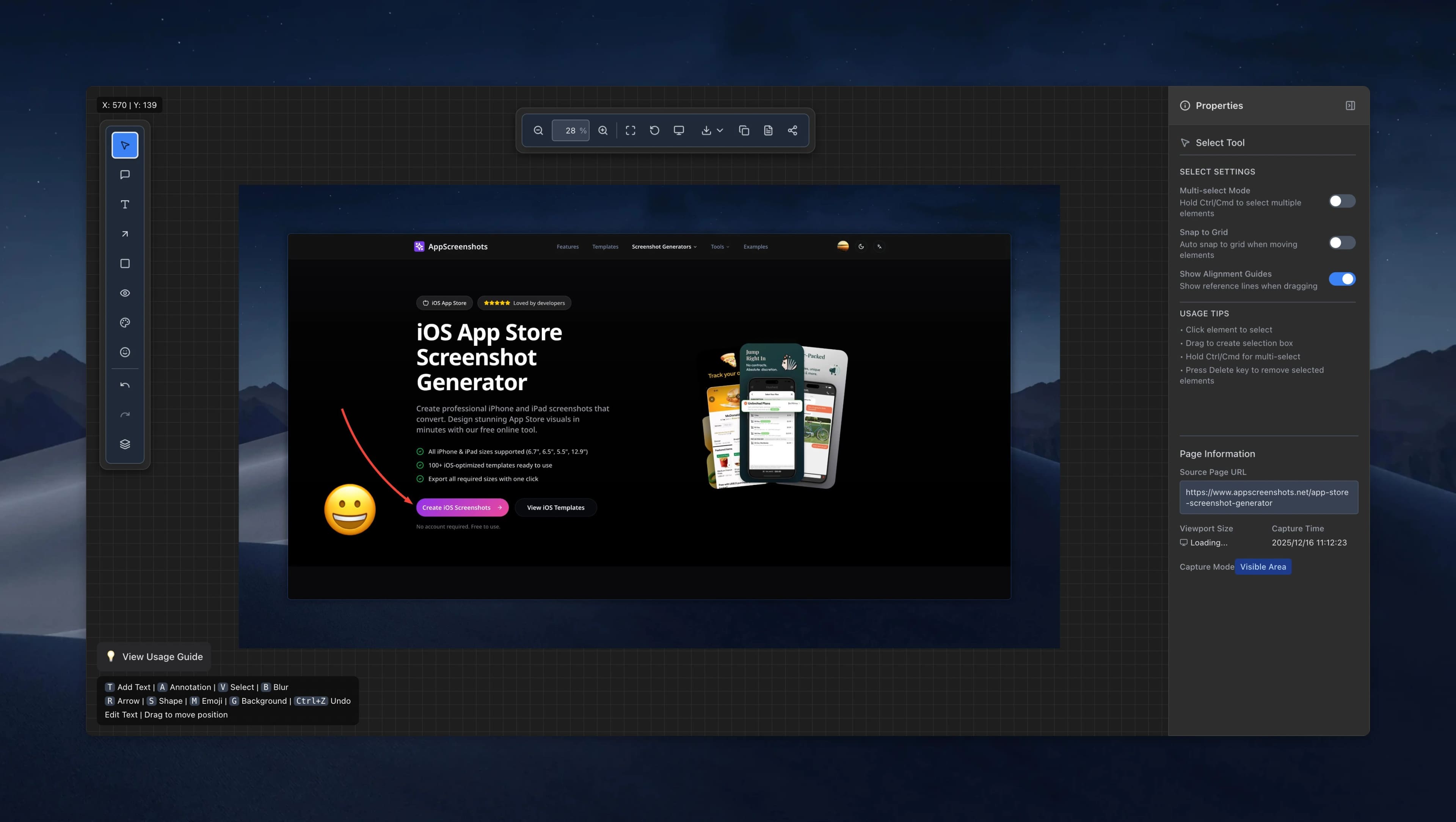
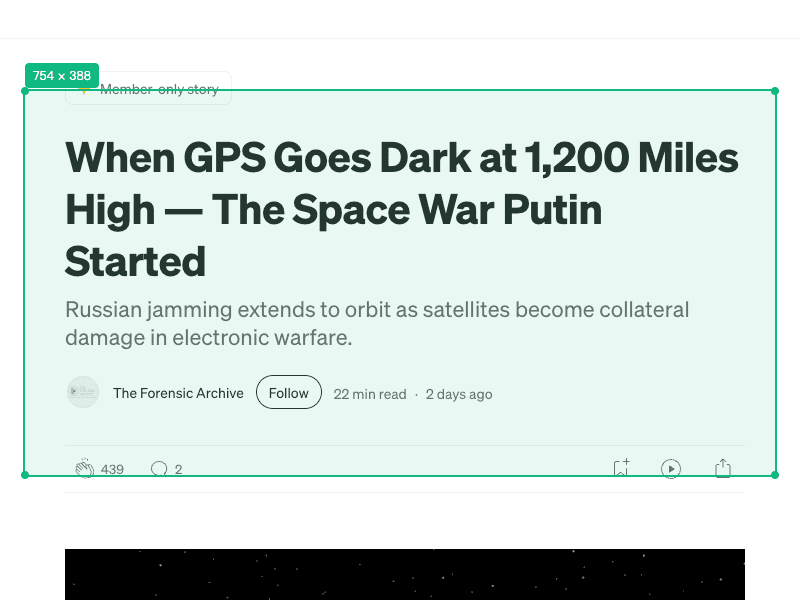
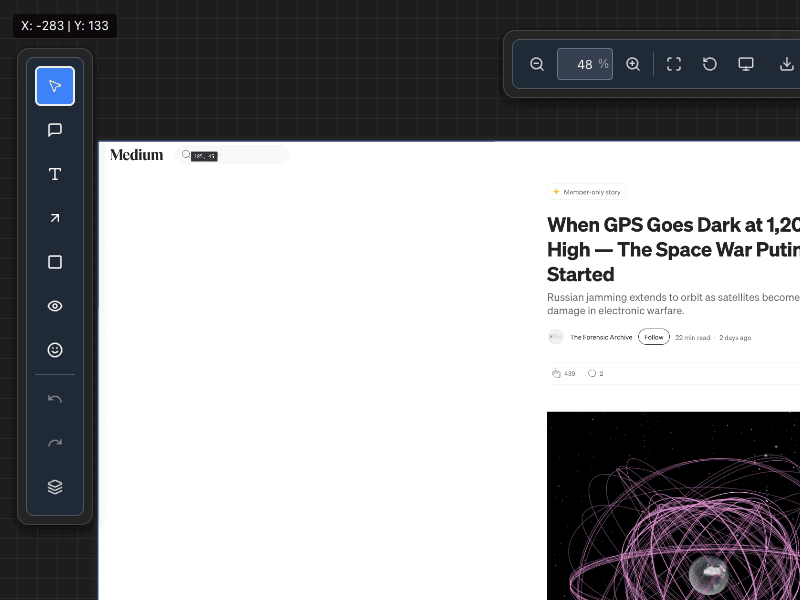
How to Use Full Page Screenshot
Start efficient screenshoting in just four simple steps:
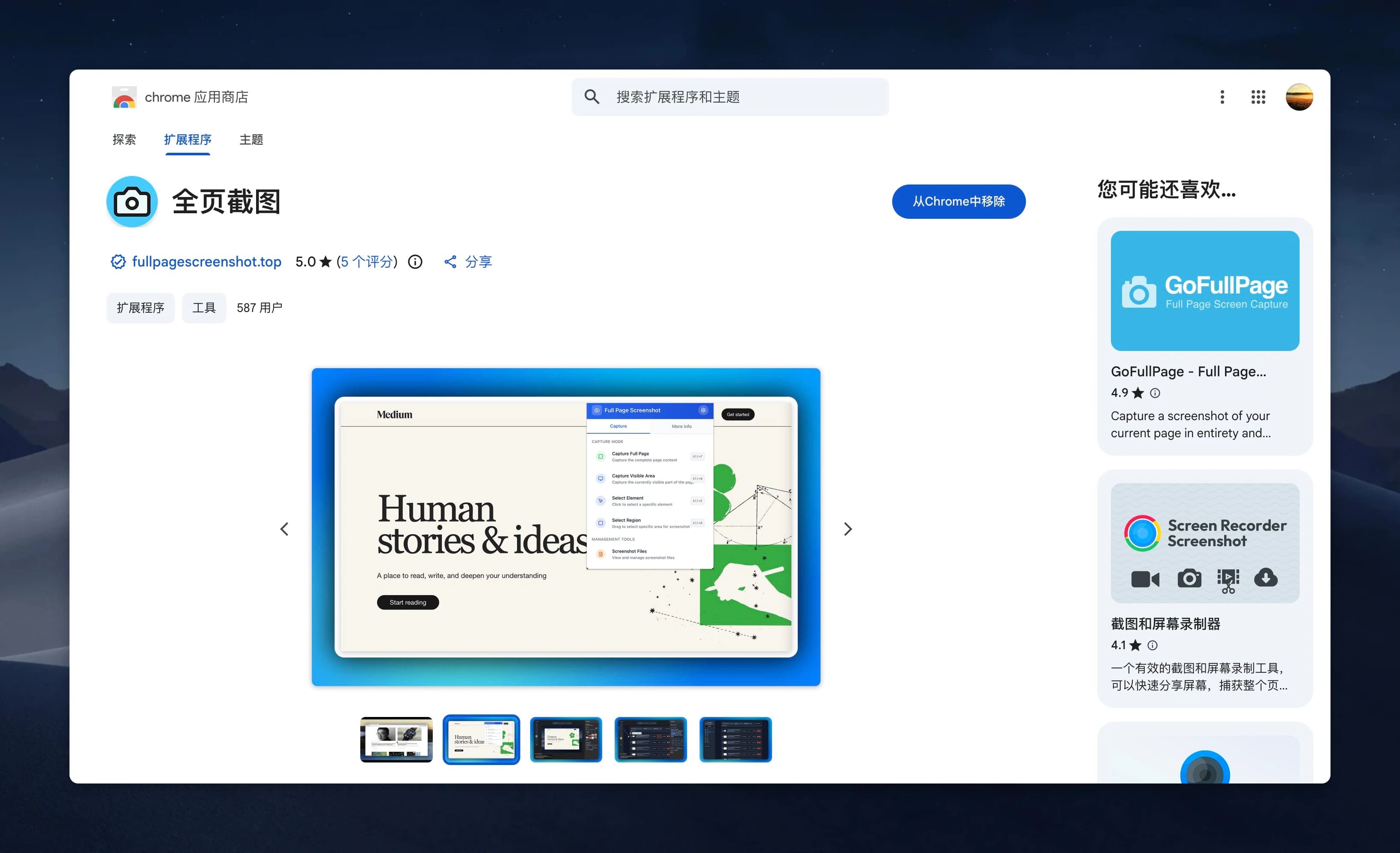
Full Page Screenshot Core Features
Professional screenshot tool designed for modern web screenshot needs.
Complete Page Capture
Reliably capture entire scrollable web content, perfectly handling fixed elements and dynamic content.
Precise Element Selection
Developer tool-like element inspector with hover highlighting for precise screenshot area selection.
Automatic Information Recording
Automatically records key information such as page URL, viewport dimensions, and timestamp.
Multi-format Export
Supports multiple image formats including PNG, JPG, with one-click copy to clipboard.
Auto Blur Tool
Intelligently detect and blur sensitive information like emails, phone numbers, and addresses with one click to protect privacy.
Privacy Protection
Local processing, no data uploaded to remote servers, protecting user privacy.
Facts you can check at the source
These product details are linked to first-party documentation and official distribution listings. We review this page whenever the product or listing changes.
- Maintained by
- Full Page Screenshot team
- First published
- Last reviewed
- Capture modes
- 4
- Full page, visible area, selected area, and element capture.
- Store languages
- 11
- Languages listed on the official Chrome Web Store page.
- Official stores
- 2
- Available from the Chrome Web Store and Microsoft Edge Add-ons.
- Chrome users
- 1,000+
- Public install milestone shown by the Chrome Web Store.
The store disclosure states:
“The developer has disclosed that it will not collect or use your data.”
Chrome Web Store listing
More than a screenshot
Guided pages for the jobs people capture pages for: archiving, PDF export, long scrolling pages, web capture and high-resolution exports.
Frequently Asked Questions About Full Page Screenshot
Have other questions? Contact us via email.
Full Page Screenshot is a professional smart web screenshot tool. It uses an advanced capture engine to reliably screenshot complete content of modern complex web pages, including dynamically loaded content and fixed positioned elements.
Official store builds are available for Google Chrome and Microsoft Edge.
Our intelligent capture engine automatically detects and waits for dynamic content to finish loading, including infinite scrolling, lazy-loaded images, and AJAX requests, ensuring complete page content is captured.
No. Full Page Screenshot follows a privacy-first design where all image processing is done locally. Your screenshots and browsing data are never transmitted to any remote servers.
Similar to the browser developer tools' inspect element feature. After activating element selection mode, hovering over page elements highlights them, and clicking captures that element and its content precisely.
Start Using Professional Screenshot Tool Now
Download Full Page Screenshot and boost your workflow efficiency.